

Description
Download Food and Calorie Finder – free calorie tracker for Firefox
Overview
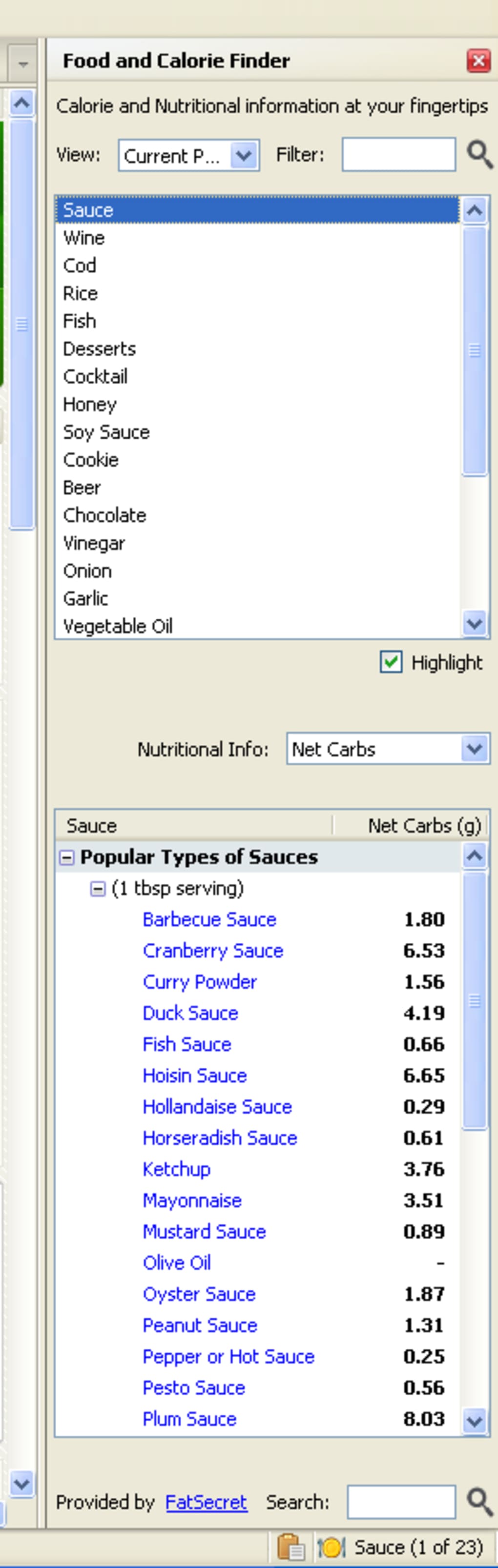
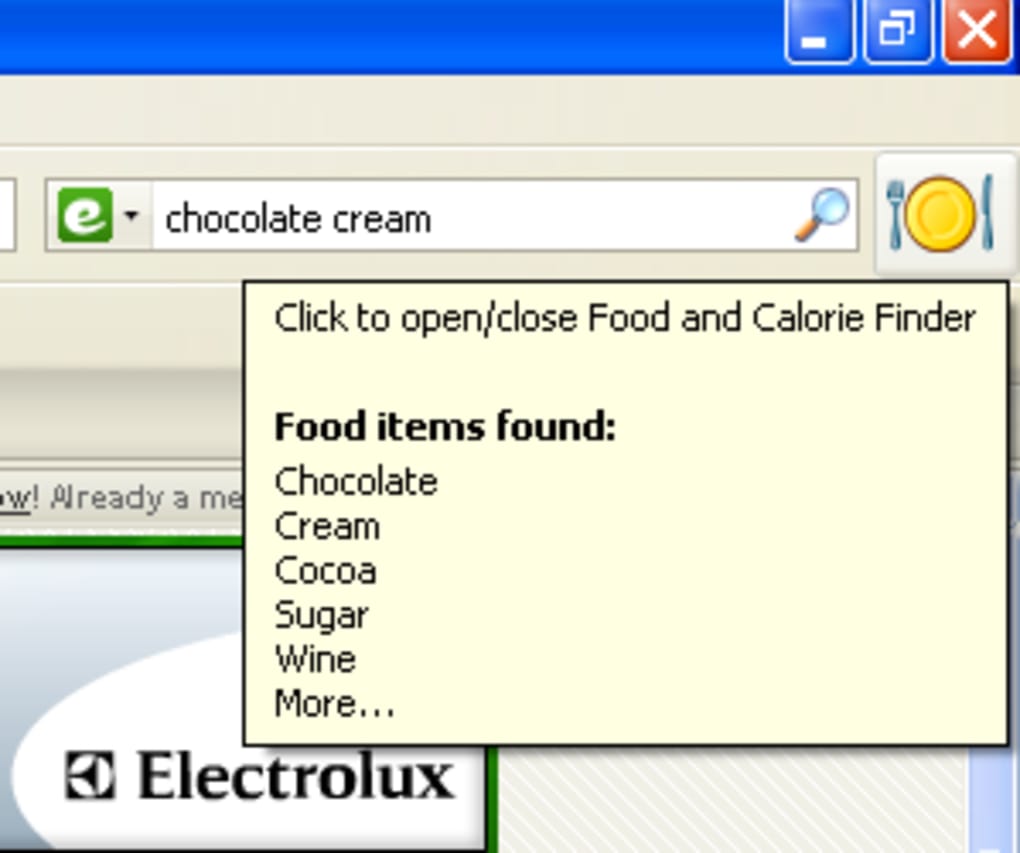
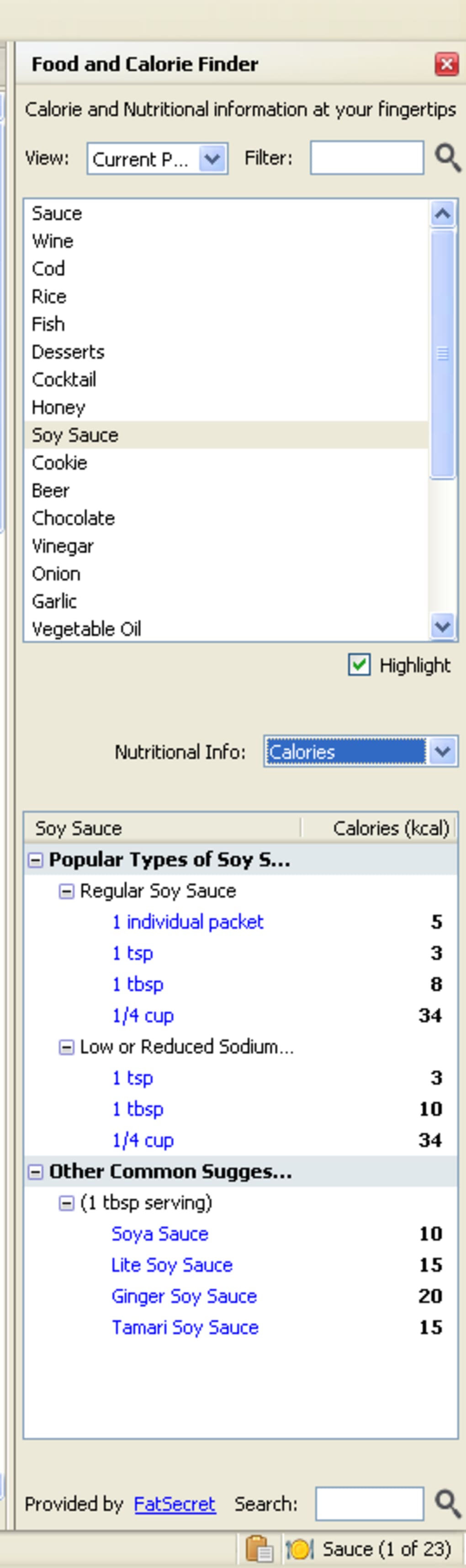
Food and Calorie Finder is a lightweight Firefox add‑on designed for anyone who wants to keep a close eye on daily nutrition without leaving the browser. Once installed, the extension places two discreet icons – a larger one on the navigation bar and a smaller one in the status bar – that automatically scan any web page for food‑related terms. When a food item is detected, the icon glows, and hovering over it reveals a quick list of identified ingredients. A single click opens a handy sidebar that breaks down calories, macronutrients, vitamins and minerals for each ingredient found on the page. If you need a deeper dive, clicking the blue link beside any food opens a full‑screen information sheet in a new tab, sourced from an extensive nutrition database.
The add‑on works without any intrusive pop‑ups or mandatory registrations. Its design philosophy is simplicity: you click, you view, you move on. While it lacks advanced configuration options—such as moving the toolbar, switching between metric and imperial units, or customizing the display layout—it compensates with a clean, unobtrusive interface that integrates seamlessly into the Firefox experience. Whether you’re browsing recipes, reading food blogs, or shopping for groceries online, Food and Calorie Finder provides instant, reliable nutritional data, helping you stay accountable to your health goals.
Features & User Experience
- Automatic detection of food items on any webpage.
- Real‑time calorie count and macro‑nutrient breakdown for each ingredient.
- Sidebar view that consolidates all detected foods in one place.
- Clickable blue links that open detailed nutrition sheets in a separate tab.
- Search function for independent food look‑ups via the “All Foods” view.
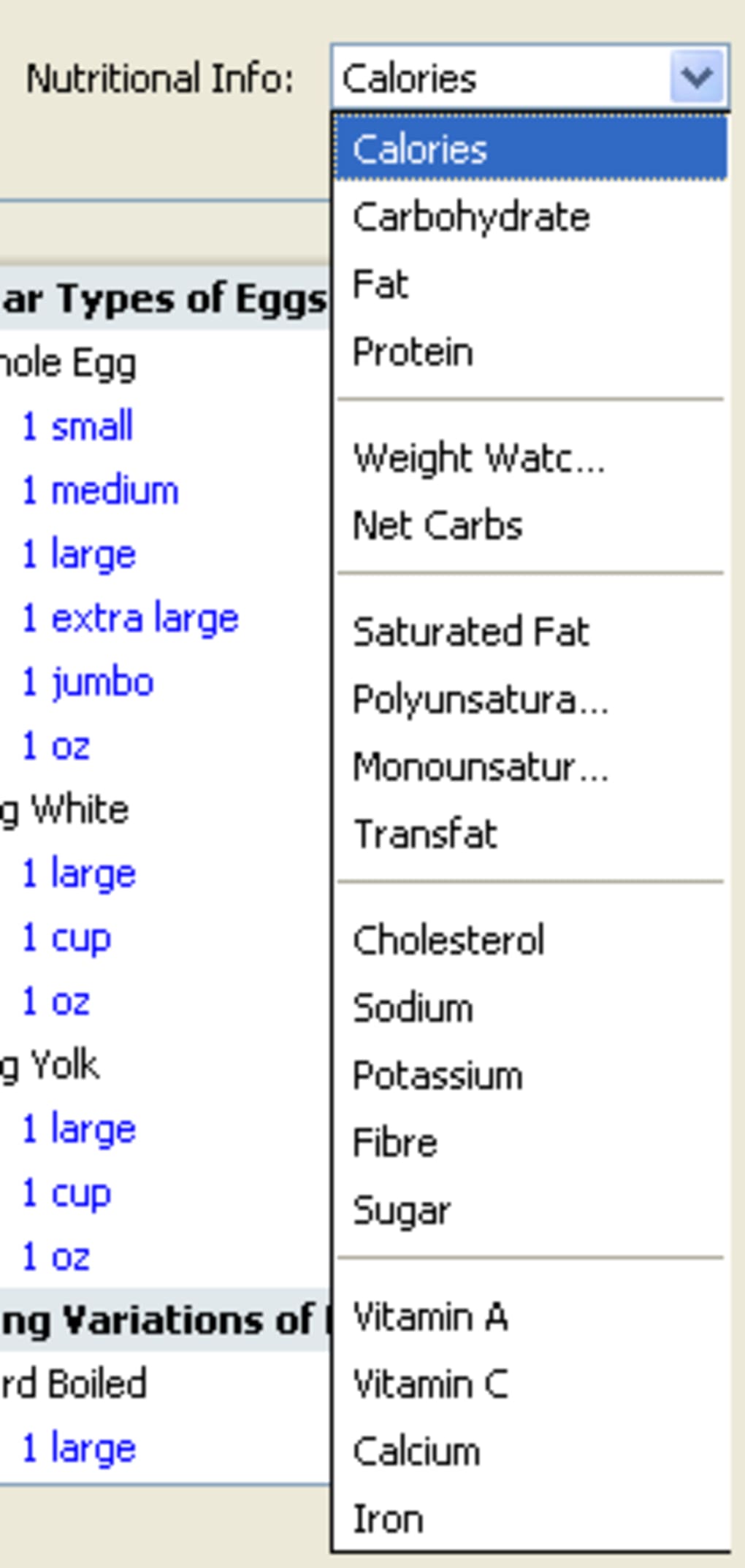
- Category filter to isolate specific nutritional data (e.g., protein‑only view).
- Lightweight footprint – the add‑on consumes minimal RAM and CPU.
- Free to download and use, with regular database updates for accuracy.
From a user‑experience perspective, Food and Calorie Finder shines in its immediacy. The moment the extension spots a food term—whether embedded in a recipe paragraph, a grocery list, or even a news article—the navigation‑bar icon changes color, providing a visual cue that nutritional data is available. Hovering over the icon displays a concise tooltip listing the identified foods, letting you decide if you want a quick glance or a deeper dive.
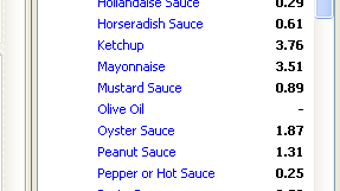
Clicking the icon opens a right‑hand sidebar that aggregates all detected foods from the current page. Each entry includes calories, carbohydrates, proteins, fats, and a handful of micronutrients. The layout is scroll‑friendly, and the design adapts to dark or light Firefox themes automatically. For users who prefer a more detailed view, the blue “More info” links launch a dedicated tab with a full nutrition fact sheet, complete with serving size suggestions, daily value percentages, and a brief description of the food’s health benefits.
The built‑in search box under the “All Foods” tab lets you explore the entire database without needing to be on a food‑specific page. Simply type “avocado” or browse categories like “Dairy” or “Grains” to pull up relevant entries. Once a food is selected, the same sidebar format appears, allowing you to compare multiple items side‑by‑side. The drop‑down filter further refines results—choose “Protein” to see only protein content across all listed foods, for example. Overall, the feature set, while straightforward, covers the essential needs of health‑conscious users and delivers them in an intuitive, low‑friction package.
Installation, Compatibility & System Requirements
Installing Food and Calorie Finder is a breeze for both novice and experienced Firefox users. Follow these steps to get the add‑on up and running in under two minutes:
- Open Firefox and navigate to the official Food and Calorie Finder page on the Mozilla Add‑Ons store.
- Click the green “Add to Firefox” button. A prompt will appear asking for permission to install the extension.
- Confirm the installation by clicking “Add”. Firefox may ask you to restart the browser; if so, do so to finalize the setup.
- After the restart, you’ll notice two new icons—one on the navigation bar and one in the status bar—indicating that the extension is active.
The add‑on is built specifically for the Firefox browser and is fully compatible with the latest stable release (as of October 2025). It also works on Firefox ESR (Extended Support Release) versions, making it suitable for enterprise environments that favor longer support cycles. The Windows 10, Windows 11, macOS Monterey and later, Linux (any distribution supporting Firefox), and Android (Firefox for Android) platforms are all officially supported. While the extension’s UI is optimized for desktop browsers, the Android version offers the same core functionality—icons appear in the toolbar, and the sidebar slides in from the right side of the screen.
System requirements are modest: a minimum of 256 MB of free RAM and a recent version of Firefox (78.0 or newer). Because the add‑on relies on an online nutrition database, a stable internet connection is required for the first data fetch and for periodic updates. Updates to the extension are delivered automatically through Firefox’s built‑in add‑on update mechanism, ensuring you always have the latest food database and bug fixes without manual intervention.
For users concerned about privacy, Food and Calorie Finder only transmits the URLs of pages you visit to query its nutrition API; no personal data or browsing history is stored locally or sent to third parties. The extension’s source code is open‑source, and a privacy policy is available on the add‑on’s Mozilla page, outlining data handling practices in clear, GDPR‑compliant language.
Pros, Cons & Frequently Asked Questions
Pros
- Instant detection of food items on any webpage.
- Comprehensive calorie and nutrient breakdown without leaving the browser.
- Free to download and use, with regular database updates.
- Lightweight and non‑intrusive UI that respects the browsing experience.
- Works across Windows, macOS, Linux, and Firefox for Android.
Cons
- No customization options for icon placement or measurement units.
- Limited to Firefox; not available for Chrome or Edge.
- Relies on an internet connection for data retrieval.
- Advanced dietary filters (e.g., keto, vegan) are not built‑in.
Frequently Asked Questions
Does Food and Calorie Finder store my browsing data?
No. The extension only sends the URL of the page you are viewing to its nutrition API to retrieve relevant food data. It does not store personal information, browsing history, or any identifiable data on its servers.
Can I change the measurement units from calories to kilojoules?
Currently, the add‑on displays calories as the primary energy metric. While the underlying database contains kilojoule values, there is no built‑in toggle to switch units. Users can manually convert using the standard 1 kcal = 4.184 kJ conversion factor.
Is the nutrition database up to date?
Yes. The developers update the database monthly, incorporating new food items, revised USDA data, and corrections based on user feedback. Automatic updates are delivered through Firefox’s add‑on update system.
Will the extension work on a corporate network with strict firewall rules?
It works on most corporate networks as long as outbound HTTPS traffic to the nutrition API endpoint (api.nutritiondb.org) is allowed. If the firewall blocks this domain, the extension will not be able to fetch data, but it will still function locally.
Can I use Food and Calorie Finder on mobile devices?
Yes. The add‑on is compatible with Firefox for Android. The interface adapts to the smaller screen, with the sidebar appearing as an overlay that can be swiped away when not needed.
Food and Calorie Finder delivers exactly what it promises: quick, accurate nutritional data without cluttering the browsing experience. The lack of customization is a minor drawback, but the free price point and reliable updates make it a solid choice for health‑conscious Firefox users.
Conclusion & Call to Action
In a digital age where recipes, grocery lists, and food articles are just a click away, having an on‑demand calorie tracker can be a game‑changer for anyone serious about nutrition. Food and Calorie Finder offers a seamless blend of automatic detection, detailed nutrient breakdowns, and an unobtrusive UI—all for free. While power users may miss deeper customization, the extension’s simplicity is precisely what makes it accessible to beginners and seasoned dietitians alike.
If you’re looking to stay accountable to your daily calorie goals, monitor macro intake, or simply satisfy curiosity about the foods you encounter online, Food and Calorie Finder is a reliable companion. Its cross‑platform support ensures you can benefit from it whether you’re on a Windows PC, a MacBook, a Linux workstation, or a mobile device.
Ready to make your browsing healthier? Download Food and Calorie Finder now and start seeing nutrition data appear instantly as you surf the web. Stay informed, stay balanced, and let your browser do the counting for you.
Guides & Tutorials for Food and Calorie Finder
How to install Food and Calorie Finder
- Click the Preview / Download button above.
- Once redirected, accept the terms and click Install.
- Wait for the Food and Calorie Finder download to finish on your device.
How to use Food and Calorie Finder
This software is primarily used for its core features described above. Open the app after installation to explore its capabilities.
User Reviews for Food and Calorie Finder 0
No reviews found





